
Download RapApp – freestyle rap, rap battles, improvisation tool, freestyle training, rap app, music freestyle, freestyle practice, freestyle software, freestyle app for Windows, freestyle app for Mac
Overview
RapApp – Freestyle is designed for individuals passionate about rap and freestyle performance, offering a dedicated platform to refine improvisational skills in a structured and engaging way. The app targets aspiring rappers, music students, and performance enthusiasts seeking tools to practice spontaneous lyric creation. It enables users to train using diverse prompts such as words, themes, characters, and over 50 preloaded beat bases, allowing for dynamic and varied practice sessions.
The software supports real-world applications like preparing for live performances, participating in friendly or competitive battles, and organizing structured events such as cups and leagues. Users can also engage in “cock battles” with friends, track win-loss records, and share results across social media. The developer, RapApp, has positioned the app as a comprehensive solution for freestyle training, emphasizing customization through built-in beats or user-imported audio.
While the developer’s background is not detailed beyond the brand name, the app’s feature set suggests a focus on creative expression and community-driven music practice. The software is intended for use on both Windows and Mac platforms, supporting desktop-based workflows for uninterrupted creativity.
Key Features & Capabilities
- Improvisation Practice with Diverse Prompts – Users can generate freestyle sessions using keywords, themes, or character-based challenges, helping build spontaneity and lyrical agility.
- Over 50 Preloaded Beat Bases – The app includes a library of instrumental tracks to accompany freestyle sessions, supporting various music styles and rhythms.
- Custom Beat Import – Users can upload their own audio files to use as backing tracks, enabling a personalized and authentic practice environment.
- FMS Virtual Scoring System – A built-in form allows users to rate freestyle battles using the FMS (Freestyle Music Scoring) format, streamlining evaluation and feedback.
- Competitive Features – Supports “cock battles” with friends, league creation, and cup-style tournaments with no participant limit, fostering community engagement.
- Results Sharing – Battle outcomes can be exported and shared on social media platforms, promoting visibility and accountability.
- Win-Loss Tracking – The app maintains a record of victories and defeats in competitive sessions, helping users monitor progress over time.
These features collectively support both solo training and collaborative music events. For instance, a user preparing for a live showcase might use thematic prompts and a custom beat to simulate real performance pressure. A group of friends could organize a weekly cock battle, using the FMS scoring system to maintain fairness and consistency. The ability to track results enables long-term skill development, while the social sharing function encourages motivation and community interaction.
User Interface, Workflow & Performance
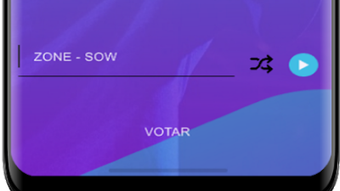
The user interface of RapApp is designed to support rapid access to core functions, with a clean layout that prioritizes workflow efficiency. Navigation appears to be centered around a central dashboard where users can select practice modes, access beat libraries, and manage competitions. The workflow for starting a freestyle session likely involves selecting a prompt, choosing a beat, and beginning recording, with minimal steps required to initiate a session.
The app’s design suggests a focus on immediacy and engagement, reducing friction between idea and expression. While specific details on CPU or RAM usage were not provided, the 256 MB installation size indicates a lightweight footprint, which may contribute to stable performance on standard desktop systems. The developer did not specify resource usage details, so actual performance may vary depending on hardware and background processes.
Stability during extended sessions was not documented, but the app’s focus on real-time interaction implies a need for responsive audio handling. General software behavior patterns suggest smooth operation under normal conditions, though performance may be affected by third-party applications or system-level interference.
Compatibility & System Requirements
RapApp is compatible with both Windows and Mac operating systems, making it accessible to a broad range of desktop users. The software version is 1.0, indicating a stable initial release. The installation size is 256 MB, which is relatively modest and suitable for most modern storage drives.
However, exact system requirements such as minimum RAM, processor specifications, or disk space were not listed. The developer did not provide additional system requirements, so users should ensure their devices meet general desktop software standards. Platform compatibility information is limited to the operating systems mentioned, and no details were given about support for older or less common variants.
It is recommended to verify system compatibility before installation, especially on devices with legacy configurations.
Pros and Cons
Pros
- Comprehensive freestyle training tools with diverse prompts and beat options
- Support for custom beat import for personalized practice
- Integrated FMS scoring system for fair and structured battles
- Facilitates social engagement through cock battles and tournament organization
- Win-loss tracking and results sharing enhance motivation and accountability
- Lightweight installation size (256 MB) for efficient storage use
Cons
- Exact system requirements were not specified, limiting pre-installation assessment
- Performance behavior under heavy load or long sessions was not documented
- Limited information on developer support or update frequency
- No mention of cloud sync or cross-device functionality
- Price point may be high for casual users or students
FAQ Section
Is RapApp available for Windows and Mac?
Yes, RapApp is designed for both Windows and Mac operating systems, allowing users on either platform to access its freestyle training and battle features.
Can I use my own beats with RapApp?
Yes, the app supports importing custom audio files as backing tracks, enabling users to practice with their preferred music.
Is RapApp secure to download and install?
The software is distributed through official channels, and the developer has not indicated any known security risks. As with any software, users should download from trusted sources.
Does RapApp require an internet connection?
The app functions primarily in offline mode for practice and battles. However, social sharing features may require an internet connection.
What type of license does RapApp use?
RapApp is a one-time purchase software with a price of $9.99. The license allows use on a single device, though no details on multi-device usage were provided.
Final Thoughts + CTA
RapApp – Freestyle stands out as a specialized tool tailored for those serious about developing improvisational rap skills. Its blend of structured practice, competitive engagement, and community features makes it a compelling choice for musicians, performers, and creative hobbyists. The inclusion of customizable beats, FMS scoring, and tournament management sets it apart from generic practice apps.
While some technical details like system requirements and performance under load remain unspecified, the app’s lightweight size and clear interface suggest accessibility for most users. The $9.99 price point is reasonable for the feature set, particularly for users who value structured, repeatable training. For anyone looking to elevate their freestyle game, RapApp offers a focused, feature-rich environment.
Download RapApp now.







